A quiet inbox.
A clear head.
A day that's yours.
LucidInbox sorts the noise while you sleep — newsletters, notifications and alerts tidied away on their own. So the inbox you open tomorrow holds only what truly matters.
14-day free trial
No card required
From chaos
to clarity,
in one morning.
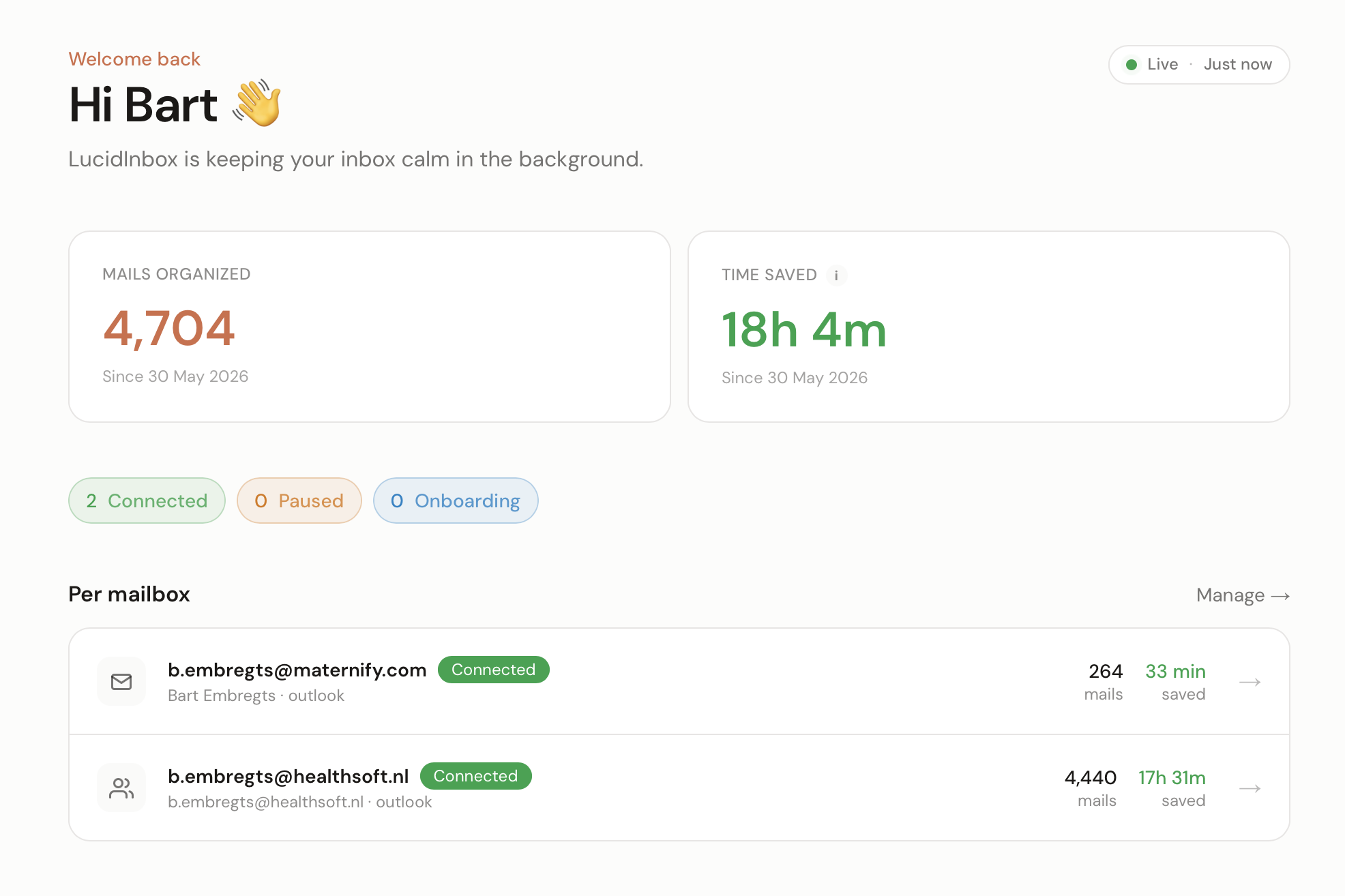
Most mornings start the same way: 247 unread, the one mail that matters buried somewhere, thirty minutes gone before you've done a single thing that's actually yours. LucidInbox makes that morning quiet.
Before
Your inbox runs you.
- 247 unread, mostly noise you didn't ask for
- Thirty minutes a day deleting newsletters and alerts
- The one mail that matters, buried six pages deep
- You open Outlook and immediately feel tired
After
You run your day.
- Tomorrow morning, only the mails that matter
- Roughly half an hour back, every single day
- Nothing deleted. Every move reversible.
- You open Outlook and feel… nothing. Which is the point.
“I use LucidInbox to keep important emails from drowning. It genuinely feels like an assistant.”
Sarah K.
Founder, Bloom Studio
Nothing new to learn.
It works with the mailbox
you already have.
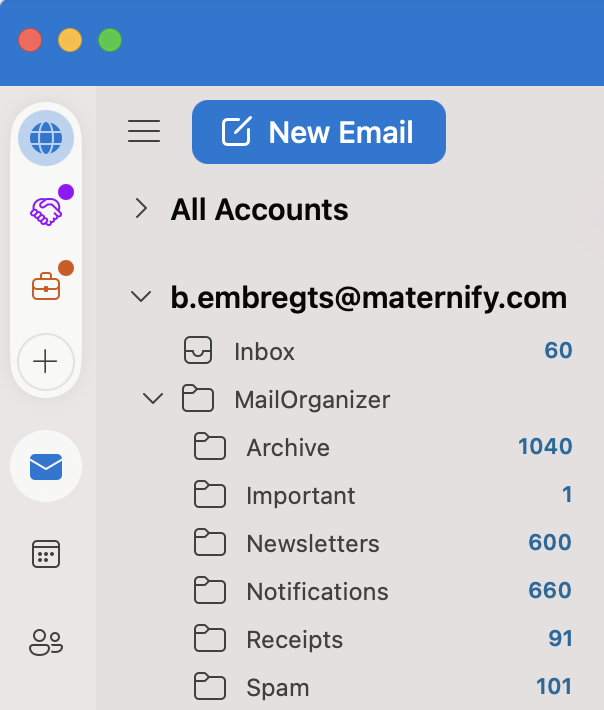
No app to download, no extension, no habit to build. LucidInbox connects to your mailbox in the background and keeps your desktop, web and mobile mail working exactly as they always have — just with far less noise inside.
- Nothing to install. No app, no extension, no plugin.
- Nothing to learn. Your shortcuts, threads and rules stay untouched.
- Nothing to lose. Disconnect any time and your mail is exactly as you left it.
Set it once.
Sleep better forever.
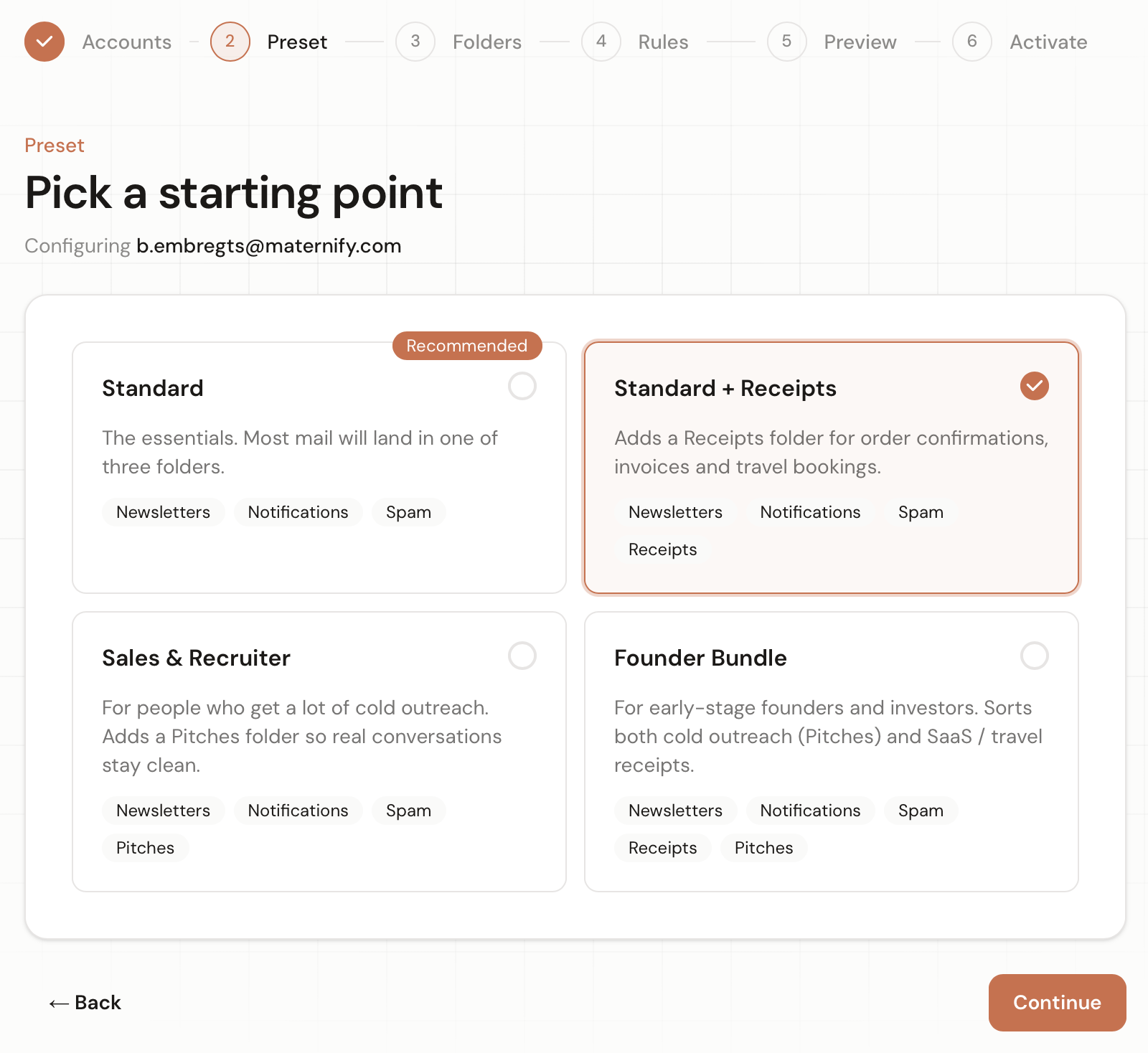
Pick a preset — Standard, Receipts, Pitches, Founder — and add a few rules in plain English. We sort the morning triage so you don't have to. It runs every ten minutes, quietly, in the background.
- Four ready-made presets. Live in 60 seconds.
- Plain-English rules — “invoices from suppliers → Receipts”
- Runs every 10 minutes, even while you sleep
Reads carefully.
Never deletes.
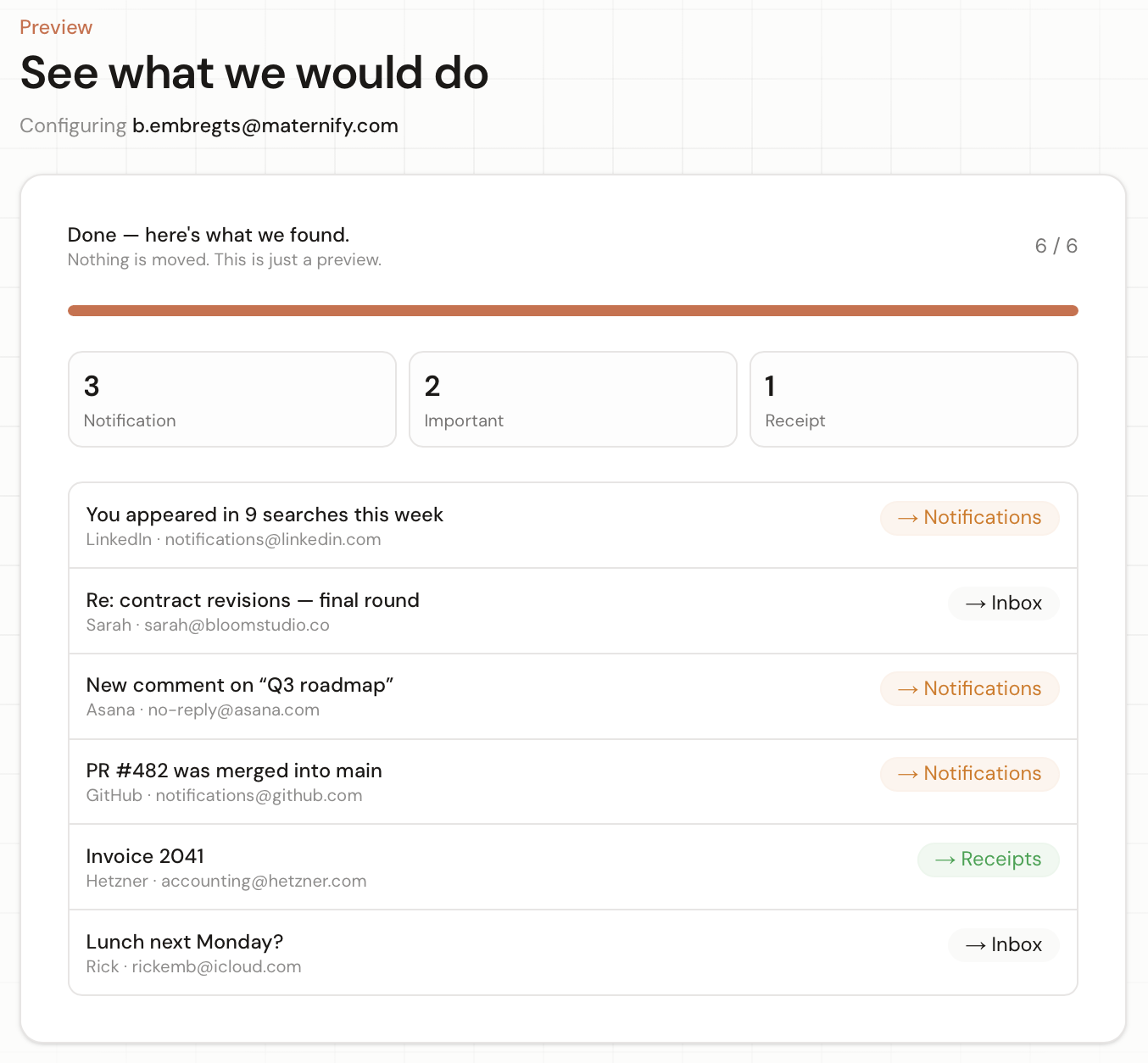
Powered by AI. It reads sender, subject and body — and knows the difference between an invoice from your bookkeeper and an invoice from your customer. If it's not sure, it leaves the mail right where it is.
- 80% confidence threshold — unsure mails stay in Inbox
- Conversation threads and VIP senders are always protected
- Every move is reversible with one click
Your inbox stays yours.
We treat your inbox the way we'd want ours treated: read as little as possible, kept as briefly as possible, and yours to erase the moment you choose. Everything runs on encrypted, EU-based servers — GDPR compliant and ISO 27001 certified.
We never read your actual mail.
Only the sender, subject and a short snippet — just enough to sort. Attachments and full message bodies are never opened.
What little we keep, we keep briefly.
Snippets auto-delete after 30 days, with no backups or shadow copies — and your mail is never used to train a model, sold, or shared.
You can erase everything, anytime.
One click wipes every snippet and setting we hold and cuts our access for good. You’re always the one in control.
Data inventory
What leaves your mailbox
Used to classify
- Sender name & address
- Subject line
- First ~200 characters of the body
Never read, never stored
- Attachments
- Full message bodies
- Calendar & contacts
Retention
Snippets auto-deleted after 30 days
EU-hosted
Europe · encrypted
They stopped dreading their inbox.
Now they sleep a little easier.
“Saved me 30 minutes a day. It genuinely feels like hiring an assistant — except I never have to talk to them and they never quit.”
Sarah K.
Founder, Bloom Studio
“Why didn't this exist before? I run my whole company from Outlook now without dread.”
Tom V.
Managing Partner, Vandermeer Legal
“Set up in 4 minutes, never thought about it again. Highest praise I can give software.”
Lisa M.
CEO, OpsCloud
One price. All of it.
30-day money-back guarantee, no questions asked. Cancel anytime in two clicks.
- 3 mailboxes included — personal, work, shared
- Unlimited AI classification
- Plain-English custom rules
- Conversation & VIP protection
- Weekly digest mail
- EU-hosted, encrypted infrastructure
Secured by Stripe · Hosted in the EU · 30-day money-back guarantee
The honest answers.
Is this a new app I have to install?
Do you read my mail?
Where is my data stored?
What happens if I cancel?
What about Gmail and iCloud?
How is this different from Outlook's built-in rules?
What if the AI moves an important mail to the wrong folder?
Tomorrow morning,
wake up to calm.
You've spent enough mornings on triage. Take three minutes now — and wake up to a quieter inbox tomorrow.
Start free in 3 minutes14 days free · No credit card · Disconnect anytime